
Multibuy Export
ABOUT
The SOBAKI IMPORT TOOL was designed to import equipment from Jita to the Minmatar Republic. It will automatically create a list of items that are very expensive/low supply on the Rens/Hek markets ready for importing.
Values EXPLAINED:
| Multibuy Value (ISK) | Total Value you want to import |
| ISK Per Item Type (ISK) | Maximum amount of ISK to spend on one Item (higher values = more expensive items , lower values = more cheaper items) |
| Region | Target Import Region. |
| Jita Trade Days | Max amount to import. A "Jita Trade Day" refers to the amount of Items traded in Jita daily. (example: 1000 Shield Booster traded in Jita per day, value=1 will import up to 1000 Shield Boosters, 0.1 will import 100) |
| Min Price Gap (%) | The minimum % between the Target Region and Jita sell price (25% will import only things that trade 25% or higher in the Republic. Can be used as Min Profit Margin for regional traders) |
| Min Jita Daily Traded Volume | Minimum amount of items traded in Jita daily (higher value = popular modules, smaller value = specialized modules) |
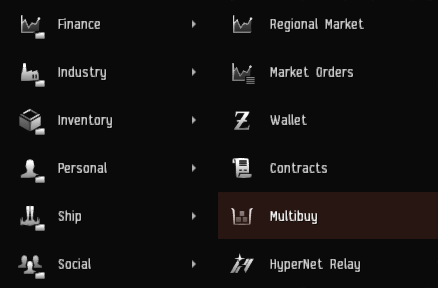
How it works:
The SOBAKI IMPORT TOOL creates a list of items that are undersupplied in Rens/Hek or generally sell at a high price in Heimatar/Metropolis.You can copy the output into a Multibuy-Order and buy the items from sell-orders in Jita. The outputs are randomzied which adds a little bit of risk but also a little bit of fun ;)
We are not storing any information.
BEST PRACTICES
The Tool updates market data 2 times per day. This means the data can be a little outdated. Double check your Multibuy Orders and edit/remove suspicious items:
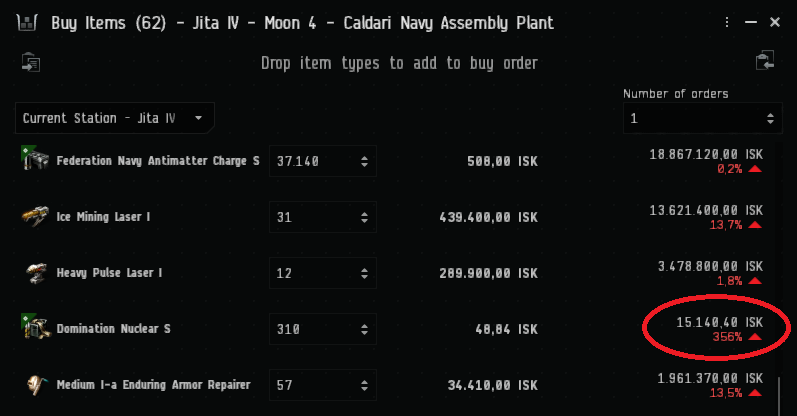
You can use public courier contracts to move the Items to Rens/Hek and put them on the market. Right now only modules, ammunition and rigs will appear on the list. This makes sure that the order remains low volume can always fit into a Blockaderunner or DST.
Authors:
| Sobaki Import Tool  Domvi Sajawa
|
Website Integration  Komi Valentine
|
|---|